A shared drive that can open a point cloud
Keep drone surveys, scans and 360s by site and date. Anyone you send a link to opens them in their browser, and invited clients reply on the exact spot.
Password or invite-only links · Every view logged · Stored in the region you choose · 9 in 10 Swyvl links get opened
Works with the files these produce
- DJI
- FARO
- Leica
- Trimble
- Riegl
- Z+F
- NavVis
- Emesent
- XGRIDS
- Emlid
- Topcon
- Insta360
- and 13 more
Share point clouds, scans, drone surveys and 360s with clients, in the browser.
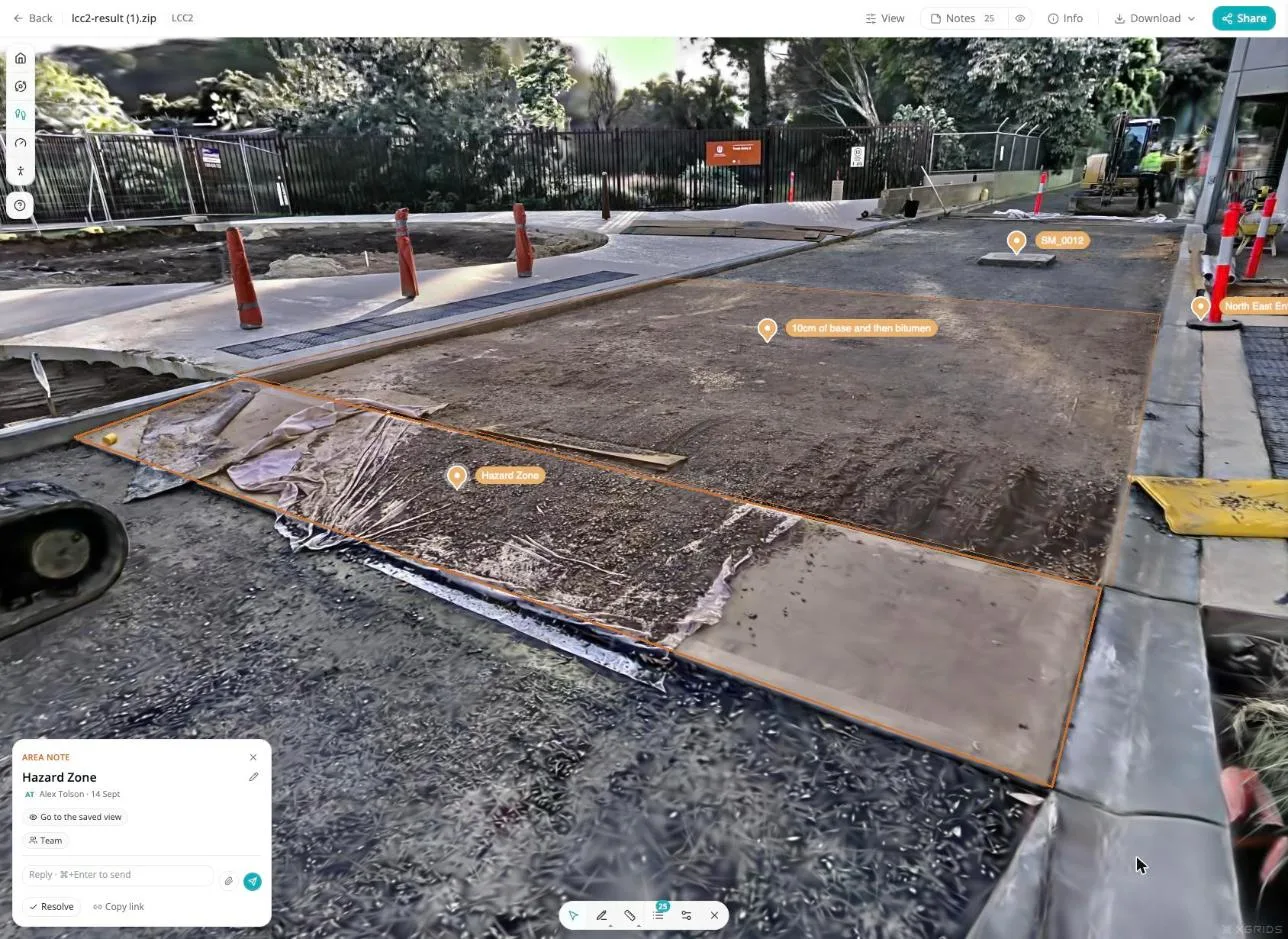
Swyvl opens 40+ file types in 14 viewers: point clouds, Gaussian splats, drone video, 360° photos, orthomosaics and 3D models. The whole job, in four pictures.
Any capture
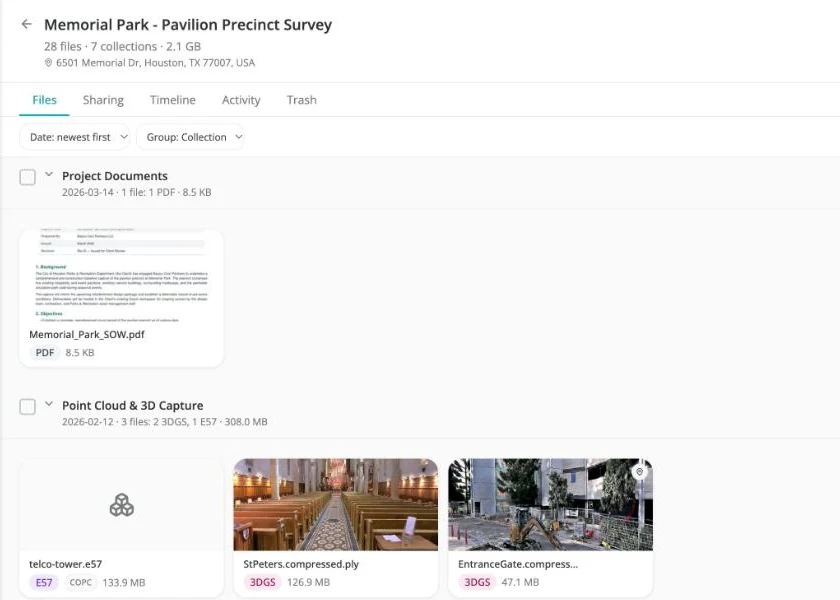
Drop the folder in. It sorts itself.
One link
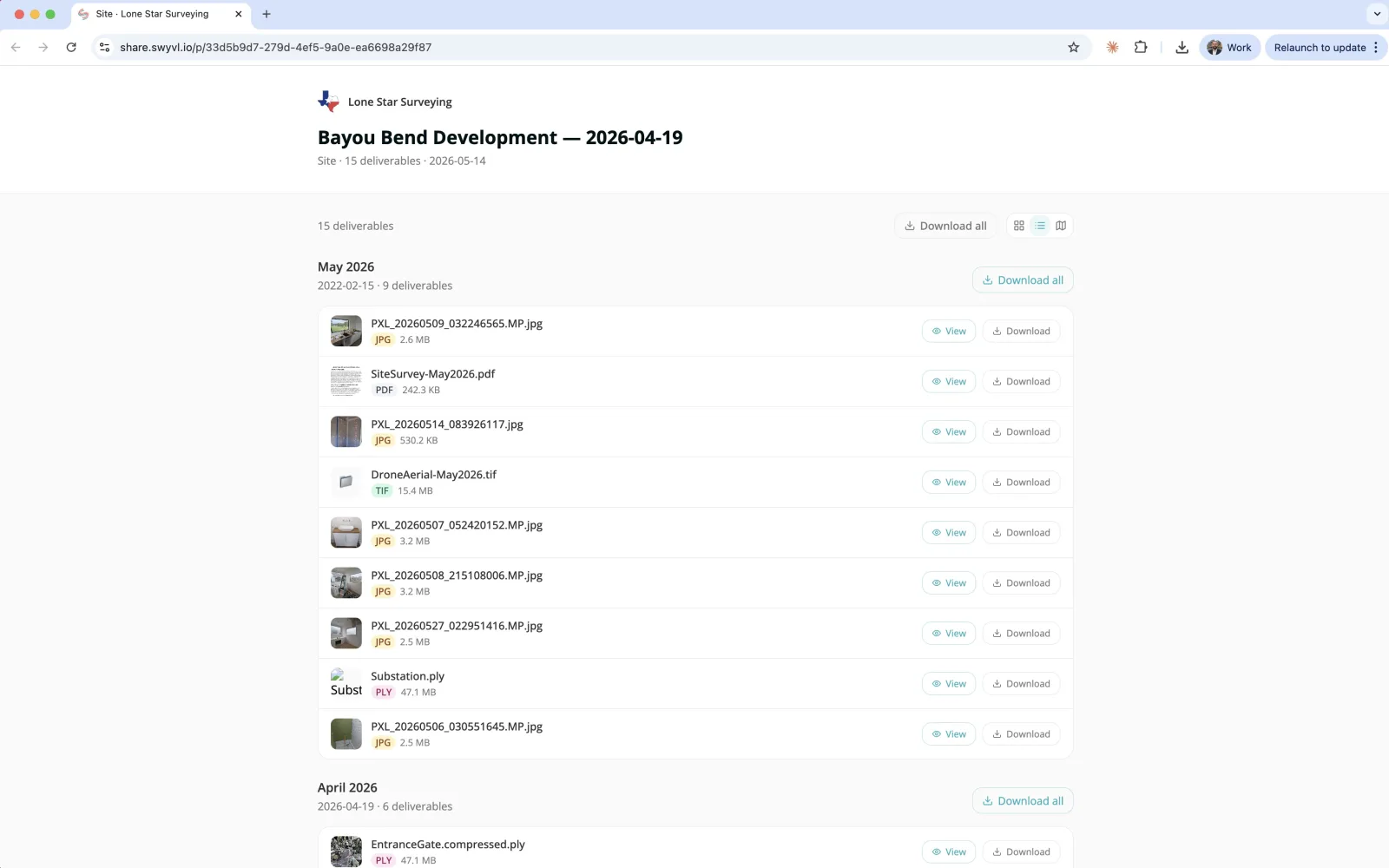
Every file, any browser.
Replies on the spot
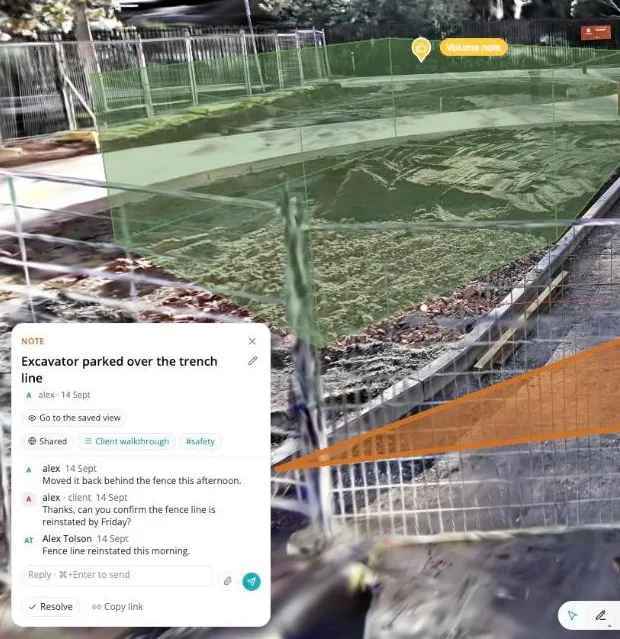
Clients answer on the scan itself.
Dana Ruiz opened share link "Northgate Depot, Stage 2"
9:14 am · Houston, Texas
Dana Ruiz viewed "northgate-cloud-2026-06.laz"
9:16 am · Houston, Texas
Dana Ruiz downloaded 3 files
9:21 am · Houston, Texas
Dana Ruiz replied on note 3, "Crack, north wall"
9:24 am · Houston, Texas
Every view logged
Know who opened what, and when.
Upload
Drop in the whole job.
Drag in the folder your software exported. Swyvl reads every file, anchors it to the site and the visit, and builds the browser version. Nothing to convert first.
Point clouds, splats, orthomosaics, 360s, drone video, BIM and PDFs. Up to 100 GB a file.
Send
One link carries every file.
This is what your client sees. No account, no download to open, and on Solo and Team it carries your logo and colors.

- 1
Your logo and colors on every link you send.
- 2
Grouped by visit, so March and June sit side by side.
- 3
Every file opens in the browser: the orthomosaic, the scan, the walkthrough, the video.
- 4
Download the originals all at once or file by file, when they want them.
No credit card, nothing for your client to install.
Reply
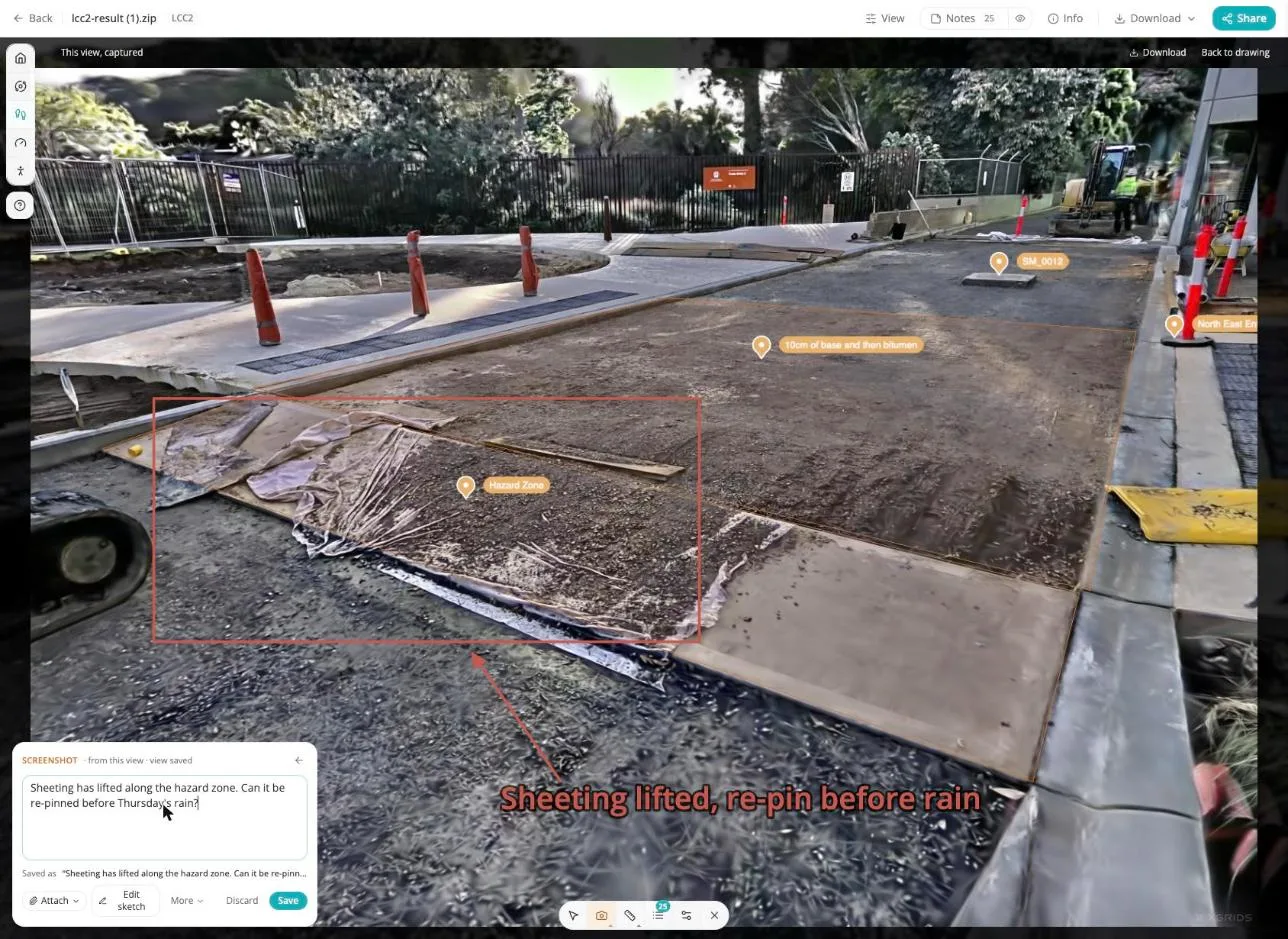
Your client replies on the spot.
Pin a note to the exact place in the scan, with a sketch. Invite your client by email and they answer right there, free, with no account to make. No more "the thing near the north fence" in an email.
A note belongs to the place, not the file. Pin it on the March scan and it shows at the same spot on June's, so the site keeps its own history of what was raised and fixed.
Free plan includes 10 saved notes. How notes work →
Track
You see who looked.
Every open, view, download, reply and approval, with the time and where it came from. Revoke a link and it stops working the same second.
A dated record of who opened, downloaded and replied to each file, kept with the site.
See who opens your next delivery →Northgate Depot · Activity
Today
-
Dana Ruiz opened share link "Northgate Depot, Stage 2"
9:14 am · Share link · Houston, Texas
-
Dana Ruiz viewed "northgate-cloud-2026-06.laz"
9:16 am · Share link · Houston, Texas
-
Dana Ruiz downloaded 3 files
9:21 am · Share link · Houston, Texas
-
Dana Ruiz replied on note 3, "Crack, north wall"
9:24 am · Share link · Houston, Texas
-
Dana Ruiz approved the delivery
9:26 am · Share link · Houston, Texas
-
Marcus Lee opened share link "Northgate Depot, Stage 2"
2:02 pm · Share link · Dallas, Texas
Open
No more “can you send it as a screenshot?”
Every major capture file type opens in the right viewer, in any browser. Your client orbits, walks, measures and plays video on whatever device is in front of them.
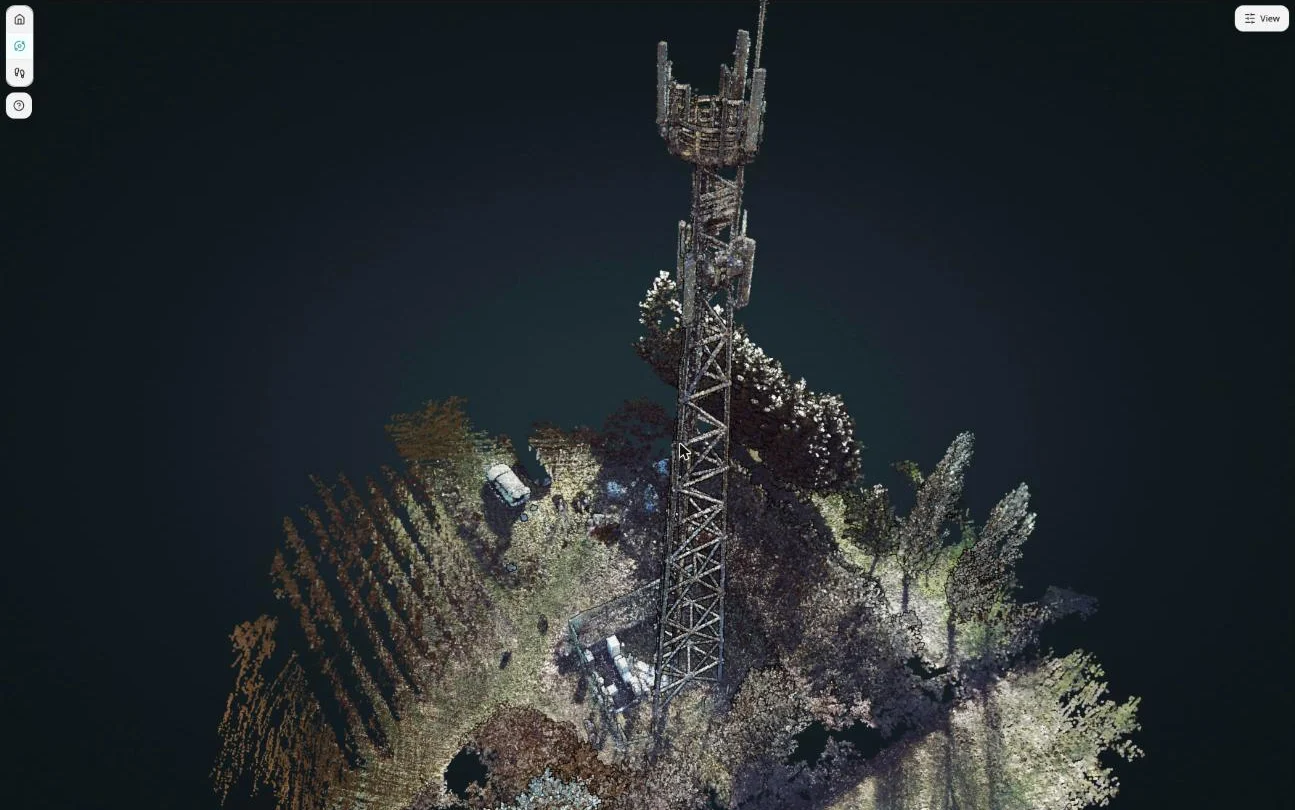
Point clouds
LAS · LAZ · E57

Gaussian splats
PLY · SPZ · SPLAT · LCC2

360° photos and video
360° JPG · MP4

Orthomosaics and elevation
GeoTIFF

Drone video on its flight path
DJI MP4 + SRT

Meshes and photogrammetry
3D Tiles · GLB · OBJ
See every supported file type ↓↑
Point clouds
Potree viewer, streamed as COPC
- LAS / LAZ
- E57 / PTX / PTS
Sharing LAS files with clients → · What is Potree? → · The E57 format →
Splats and scanner scenes
Gaussian splat and LCC2 viewers
- PLY / SPZ / KSPLAT / .splat
- XGRIDS LCC2
Maps and imagery
Leaflet and MapLibre maps, CesiumJS globe
- GeoTIFF
- KMZ / KML
- SHP / GeoJSON
- GeoPackage
- GPX
3D models and BIM
Three.js, IFC viewer, CesiumJS globe
- GLB / OBJ / FBX
- 3D Tiles
- IFC
- STEP / IGES
Photos and video
360° sphere viewer, multi-panel drone viewer, video player
- 360° JPG / MP4
- DJI MP4 + SRT
- MP4 / MOV
- JPG / PNG
Drawings and documents
DXF, DWG and PDF viewers
- DXF
- DWG
Free in-browser viewers, no signup: point cloud · IFC · DXF · GeoTIFF · Gaussian splat · DJI flight
Don't see your file type? Request it →
Remember
Find last March's scan in ten seconds.
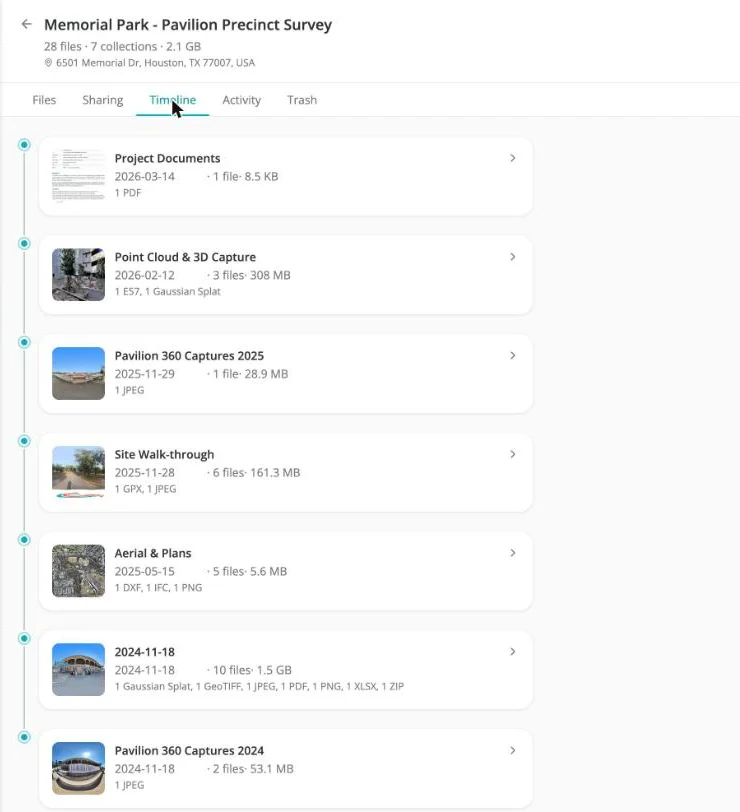
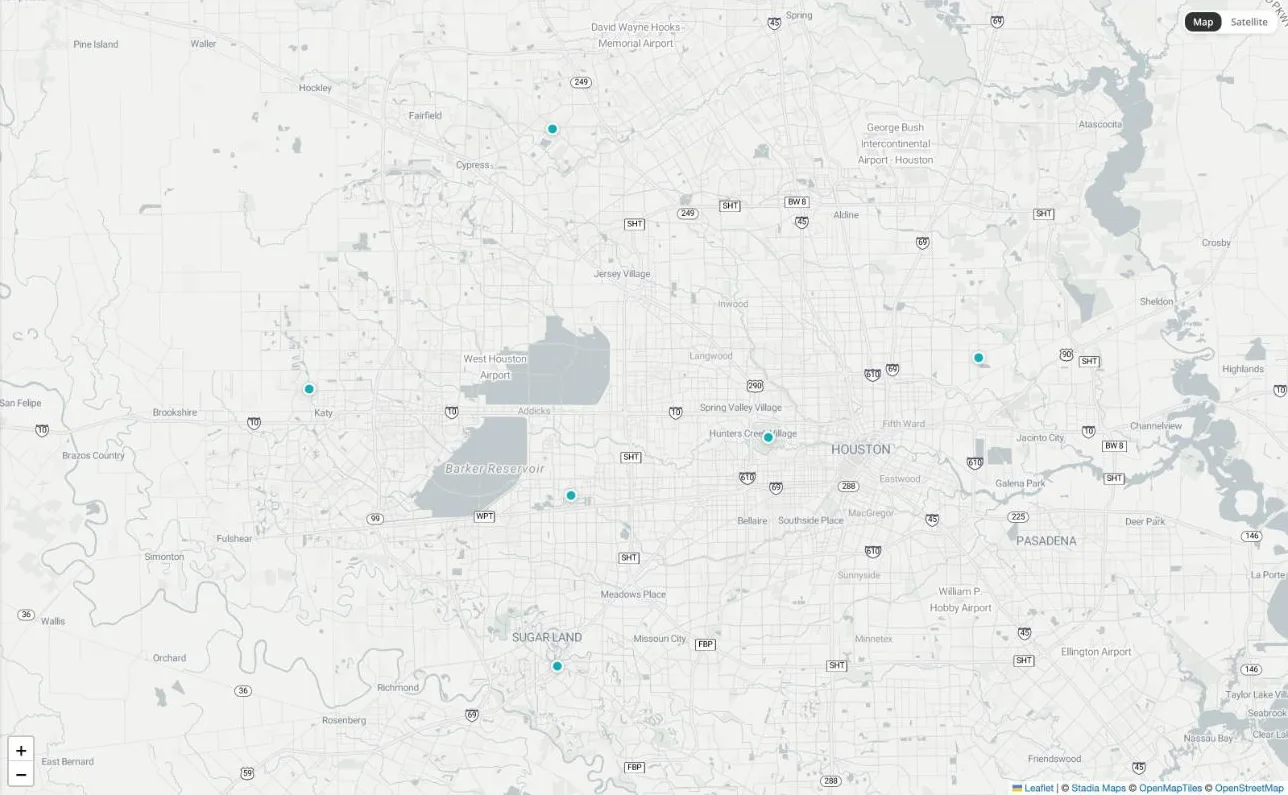
Every capture lands on its site, on the map, with a date. Two years from now it's still one click away, for you and for whoever owns the asset.
Stored in the region you choose: Australia, US East, US West, UK, Europe, Canada, Japan or Singapore.
Built for the people who capture. Trusted by the people who own the asset.
Capture professionals →
Surveyors, drone operators, scanning teams
Deliver a scan your client opens in a browser, with nothing to install and no more "can you send it as a PDF instead".
Construction and engineering →
Contractors, consultancies, in-house capture teams
Every progress survey and as-built scan anchored to the site, for the whole project team.
Asset owners and utilities →
Utilities, mining, infrastructure, facilities
Every contractor's delivery in one place you control, with access you can pull when a contract ends.
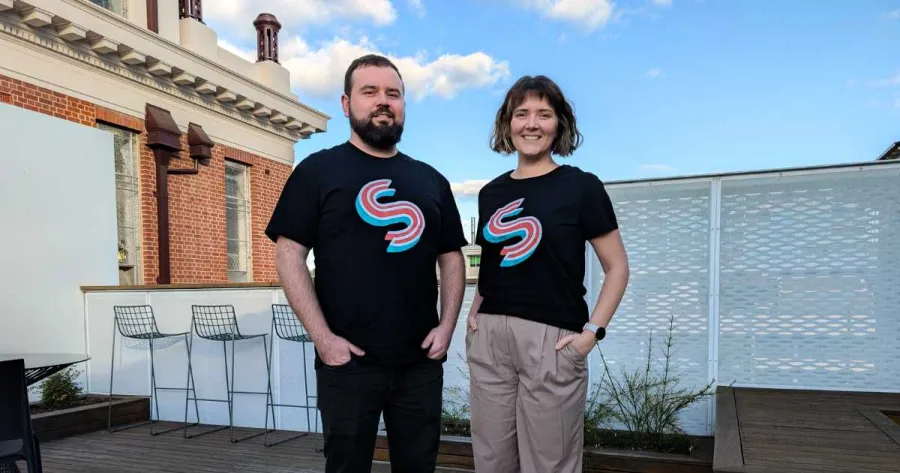
Alex Tolson & Laura Tolson
Co-founders, Swyvl
We spent years capturing the world in 3D: underground mines, the Great Barrier Reef, outback Australia. The technology to capture got incredible. How we delivered it to clients never changed. Swyvl is us fixing that.Read the full story →
Free to start. Built to grow.
No credit card required. Upgrade when you're ready.
Solo
For independent professionals
1 seat · Unlimited sites · 100 GB
Logo & colors
Team
For field teams
5 seats (+$15/seat)
Unlimited sites · 500 GB
Logo & colors
Enterprise
For large organizations
Unlimited everything
White-label · Custom regions
Save 15% with annual billing.
See full pricing and feature comparison →Before you sign up.
How do I share a point cloud with a client who has no software?
Upload the LAS, LAZ or E57 to the site it belongs to, then create a share link. Swyvl converts large scans to COPC and streams them, so your client clicks one link and orbits the scan in their browser instead of downloading gigabytes they cannot open.
Does the person I send the link to need an account?
No. A share link opens for anyone who has it, with nothing to install and no login. You can add a password or restrict it to named people, and change that after the link has gone out.
Do I have to convert or process files before uploading?
No. Upload what your capture or processing software exported. Swyvl reads the file type, extracts the metadata and picks the viewer. Any conversion happens on our side.
How do I upload 3D Tiles or a Gaussian splat?
Zip the 3D Tiles folder and upload the ZIP. Swyvl extracts it and loads it on a 3D globe. Gaussian splats upload directly as PLY, SPZ, KSPLAT or .splat, and the file type is detected from the file header. XGRIDS LCC2 packages upload as a ZIP too.
Can I see whether my client opened it, and can I revoke access?
Yes to both. Every view is logged with the time, the file and where it was opened from. Revoke a link and it stops working the same second.
I receive data from several contractors. How does that work?
Invite each contractor as an editor. Their deliveries land in your workspace, against your sites, under your account rather than theirs. When the contract ends their access ends and the data stays with you.
What does it cost, and is there a free plan?
The free plan covers 3 sites, 5 GB of your own uploads, 5 share links and 10 saved notes, with no credit card. Paid plans start at $49 a month for unlimited sites, more storage and your own branding.
How is this different from a Dropbox or WeTransfer link?
A file-sharing link gives your client a download they often cannot open. Swyvl opens the file in the browser, anchors it to the site it came from with a date on it, and tells you who looked. Swyvl compared with Dropbox →
More questions? See the full FAQ →
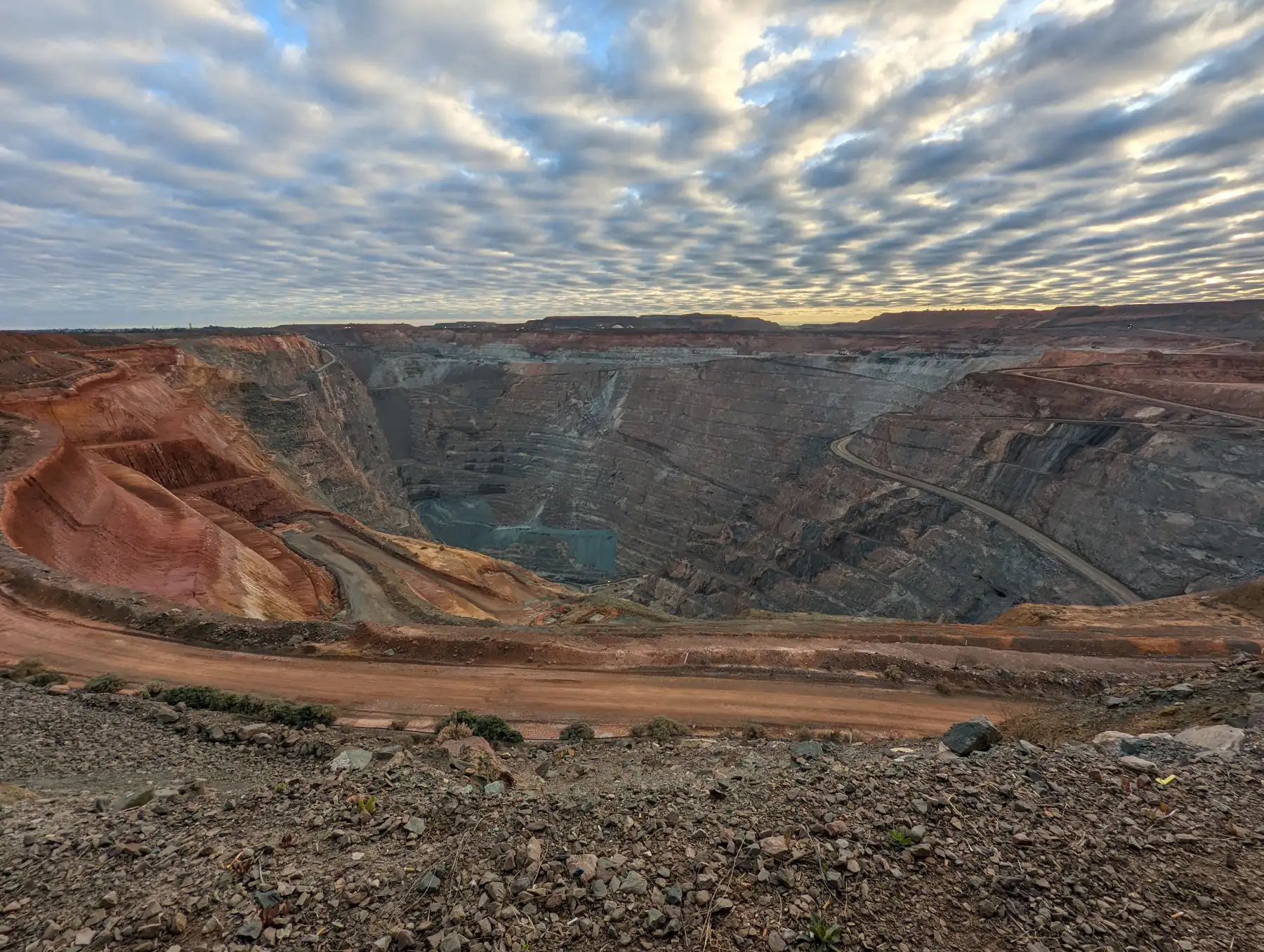
Start with one site.
Upload last month's survey and send the link to your client. Free plan covers 5 GB.