Share your Gaussian splats — straight in the browser.
Upload a 3D Gaussian splat and Swyvl streams it to your client through a branded share link. Progressive loading, orbit or walk through it, any device — no plugin, no install, and no account for the people you send it to.
Just want to view one splat? Use the free Gaussian splat viewer →
A .ply in a Dropbox folder isn't a deliverable
You captured a photorealistic 3D scene. Your client should be able to explore it — not stare at a file they can't open.
Your client downloads 2.4 GB, waits, and then still needs desktop software before they see anything at all.
Interactive in the browser before it's finished downloading — rendered with WebGL, no install, no account.
Streams PLY, SPZ, KSPLAT and .splat — files up to 100 GB.
The splat is gigabytes, and email or Dropbox just moves the file.
Your client downloads a huge .ply or .spz and has nothing that opens it. The capture that impressed everyone on your screen never gets seen.
The splat streams in the browser, no download needed.
Progressive loading renders the scene while it's still arriving — a real progress bar, not a blank screen. Your client is orbiting the capture seconds after they click.
Opening a splat means installing desktop software.
Postshot, SuperSplat, a game engine — every viewer is one more install, and no client is doing that to look at your deliverable.
Any browser, any device — nothing to install.
The splat renders with WebGL right in the browser. Upload PLY, SPZ, KSPLAT or .splat and Swyvl serves the same interactive viewer to everyone you share with.
The splat lives apart from the rest of the capture.
The photorealistic scene is one deliverable; the point cloud, ortho and video are somewhere else. The client juggles links and loses the thread.
One link carries the splat and everything else you captured.
The Gaussian splat sits alongside point clouds, orthomosaics, 360° photos and drone video — all on the same site, all in one branded share link.

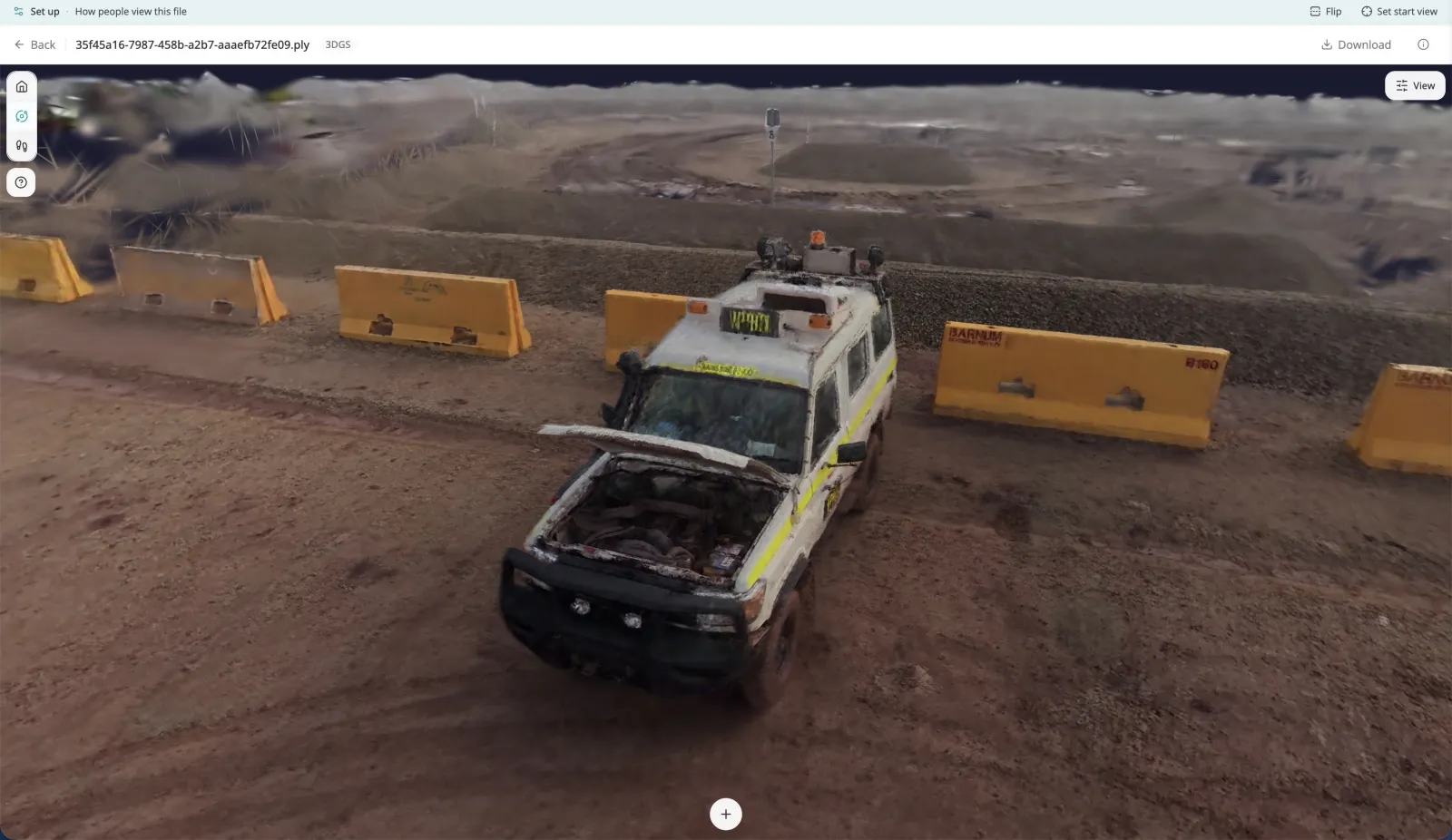
Built to deliver photorealistic 3D
A viewer tuned for the size and detail of Gaussian splatting — and a sharing layer built around it.
Progressive loading
The scene starts rendering while the file is still downloading, with a real progress bar. Big photorealistic captures feel dramatically quicker to open.
Every common format
Upload PLY, SPZ, KSPLAT or .splat and Swyvl renders them all in the same browser viewer — no converting before you share. Xgrids LCC2 scene packages are supported too, uploaded as a ZIP.
Orbit or walk through it
Rendered with WebGL. Orbit the scene or switch to Walk mode to move through it with WASD, on a laptop, tablet or phone. Xgrids scans add collisions and click-the-ground-to-walk. Measure in the viewer too: splat measurements are marked Indicative, because a splat carries no verified scale. Set the backdrop, brightness and lens once, and every client sees your version.
Alongside everything else
The splat lives on the same site as your point clouds, orthos, 360° photos and video — one organised delivery, one link.
Branded links & feedback
Deliver through a branded share link — your logo and colours. Clients leave feedback in place, and every view is logged in your dashboard.
Big captures welcome
Upload files up to 100 GB. Large splats stream to the client rather than forcing a full download before anything appears.
New to the technology? Read the Gaussian splats explainer → · Splats vs photogrammetry vs NeRF → · All splat guides →

How it works
Upload your splat
Drag in a PLY, SPZ, KSPLAT or .splat file — straight from your browser. Swyvl detects it and assigns the Gaussian splat viewer automatically.
Swyvl serves it, progressively
The splat is hosted ready to stream. Progressive loading renders the scene as it downloads — no waiting on a full transfer first.
Share one branded link
Your client opens the link in any browser and orbits the scene. You track engagement and collect feedback from your dashboard.
Send your next splat as a link, not a download.
Free to start. No credit card required.
Frequently asked questions
What people ask before sharing their first splat.