Pin a note to the exact spot. Your client replies in the browser.
Notes live on the scan, not in an email. Pin one to a point, an outline or a measurement on a point cloud, orthomosaic, 3D Tiles model or XGRIDS scan, add a sketch, and the people you invite reply right there. Nothing to install, no account for them to buy.
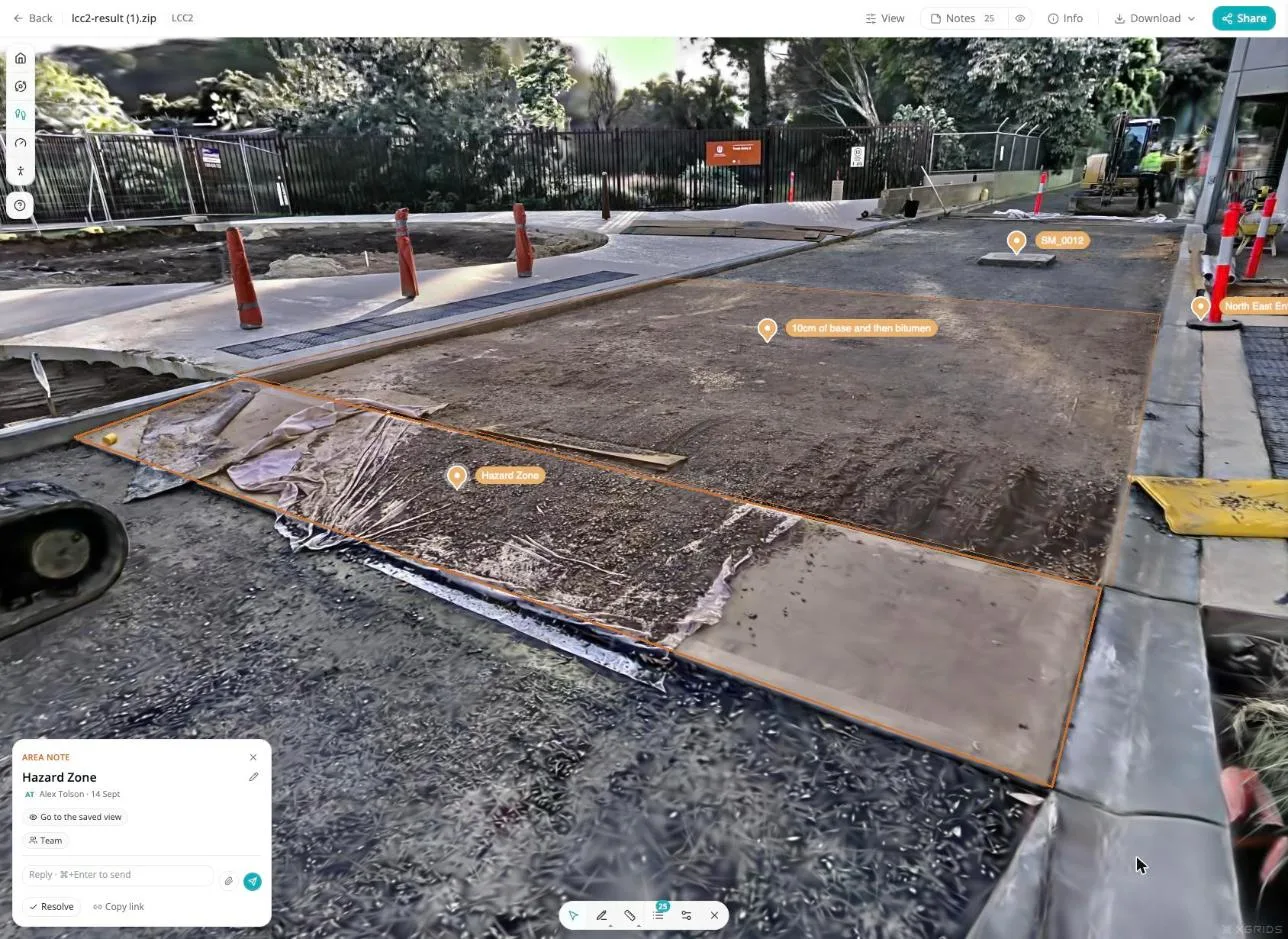
Feedback about a place should land on the place
The scan is already open in a browser. The conversation about it should happen there too.
Feedback arrives as an email with a screenshot and "the one near the fence".
You open the scan, hunt for the spot, and hope you found the same one they meant.
The note is pinned to the exact spot, with the sketch attached.
Open it and the viewer takes you there. No hunting, no guessing, no "which fence?".
Comments live inside one file. Upload the next scan and they are gone.
Every capture starts from zero, and the history of the site is spread across old emails.
Notes follow the place, not the file.
A note made on the March capture shows on the June capture at the same spot, labeled with where and when it was made.
Client comments end up in email threads and phone calls.
So the conversation happens somewhere else, and nobody can find it when it matters.
Clients invited to a share link reply in the browser, free.
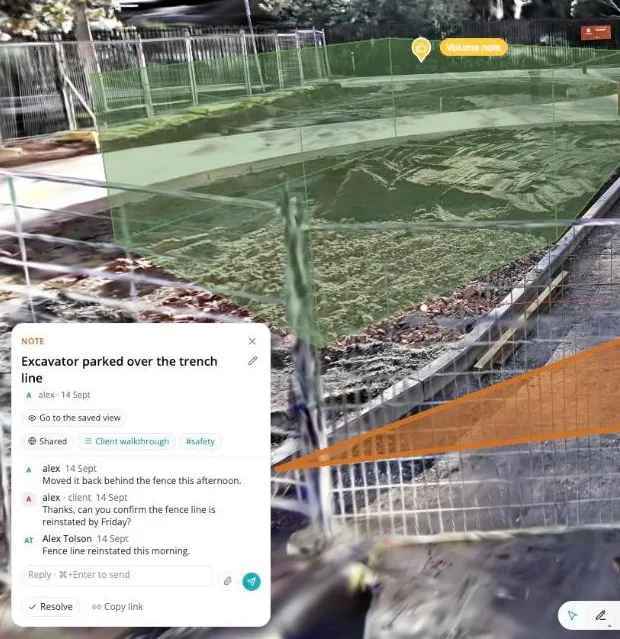
No account to buy. Their replies land on the note, on the site, where your team already works.
Pin it on the scan
Pick the spot in the viewer and write. The note anchors to the geometry, so it opens to exactly that place every time.
A point
Click the spot. The note pins to that coordinate on the geometry, not to a pixel on the screen.
An outline
Draw around the area the note is about: a cracked slab, a stockpile, the whole north face.
A saved measurement
Finish a distance, area or height measurement and save it as a note. The number travels with it.
Works on
The same note tools, the same pin, on every one of them. Nothing to relearn between a scan and an orthomosaic.
A color and an icon per note
A defect, a question, a sign-off and a reminder look different on the scan from across the room. Pick the color and the icon when you make the note.
Sketch on the view
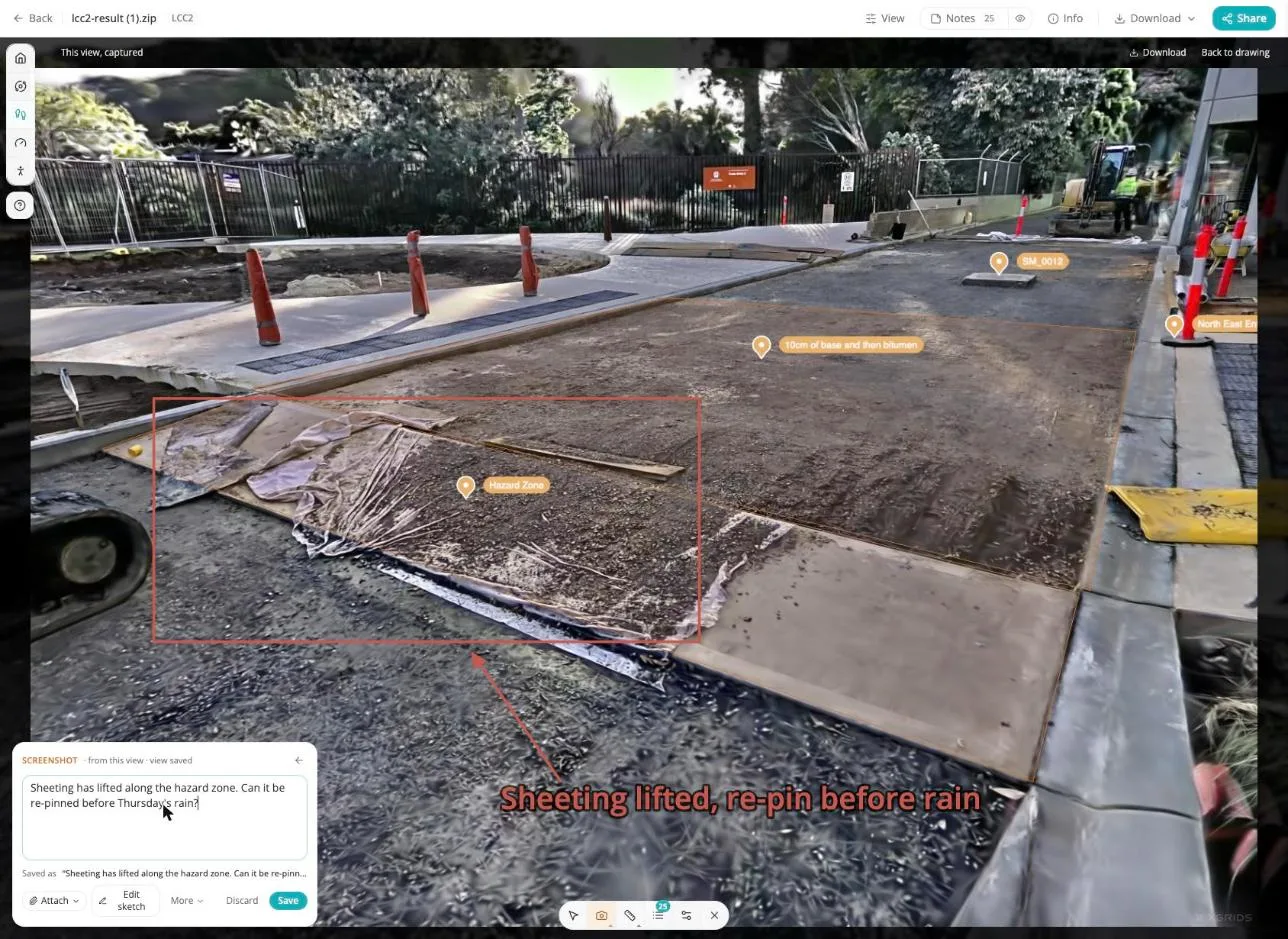
Capture the view you are looking at and draw on it. The circle, the arrow and the scribble are saved with the note, so whoever opens it sees what you saw, with the thing you meant already ringed.
- The sketch starts from the live viewer, at the angle and zoom you had.
- Markup stays with the note, in the panel, in the Notes tab and in the export.
- Opening the note later takes the viewer back to the spot, so the picture and the live scan can be compared.
Notes follow the place, not the file
A site accumulates captures: March, June, the one after the storm. A note pinned on one shows on the next, at the same spot, labeled with where and when it was made. One note, not copies.
Lifted curb, loading bay
Made on the March capture · 14 Mar 2026
2 replies, the latest from Jess on the June capture.
Mar 2026
First capture
Jun 2026
Follow-up capture
One note, not copies
Reply on the June capture and the reply is on the March one too, because it is the same note. Nothing to reconcile.
Labeled with where and when
Every note says which capture it was made on and the date. On a later capture you can tell at a glance that it predates the new work.
The site remembers
Open any capture and the notes that belong to that spot are there. The conversation about the site builds up in one place, on the site.
Lists you can send as a walkthrough
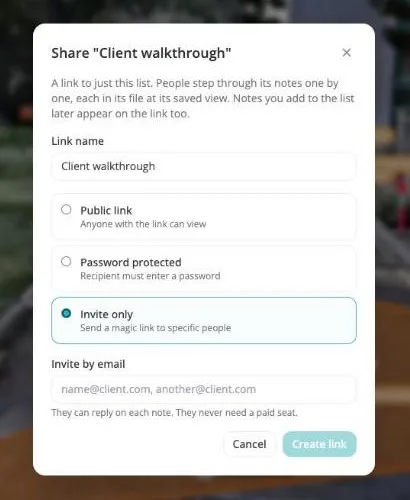
Group notes into a list: the snags before handover, the pre-pour check, the three things the client has to sign off. Share the list as a link and it opens as a walkthrough.
Step 1 of 3, then Next. Each step takes the viewer to the spot, shows the note and its sketch, and the client replies on it right there. A list can run across files, so a curb on the point cloud and a drain on the orthomosaic sit in the same walk.
Work through them
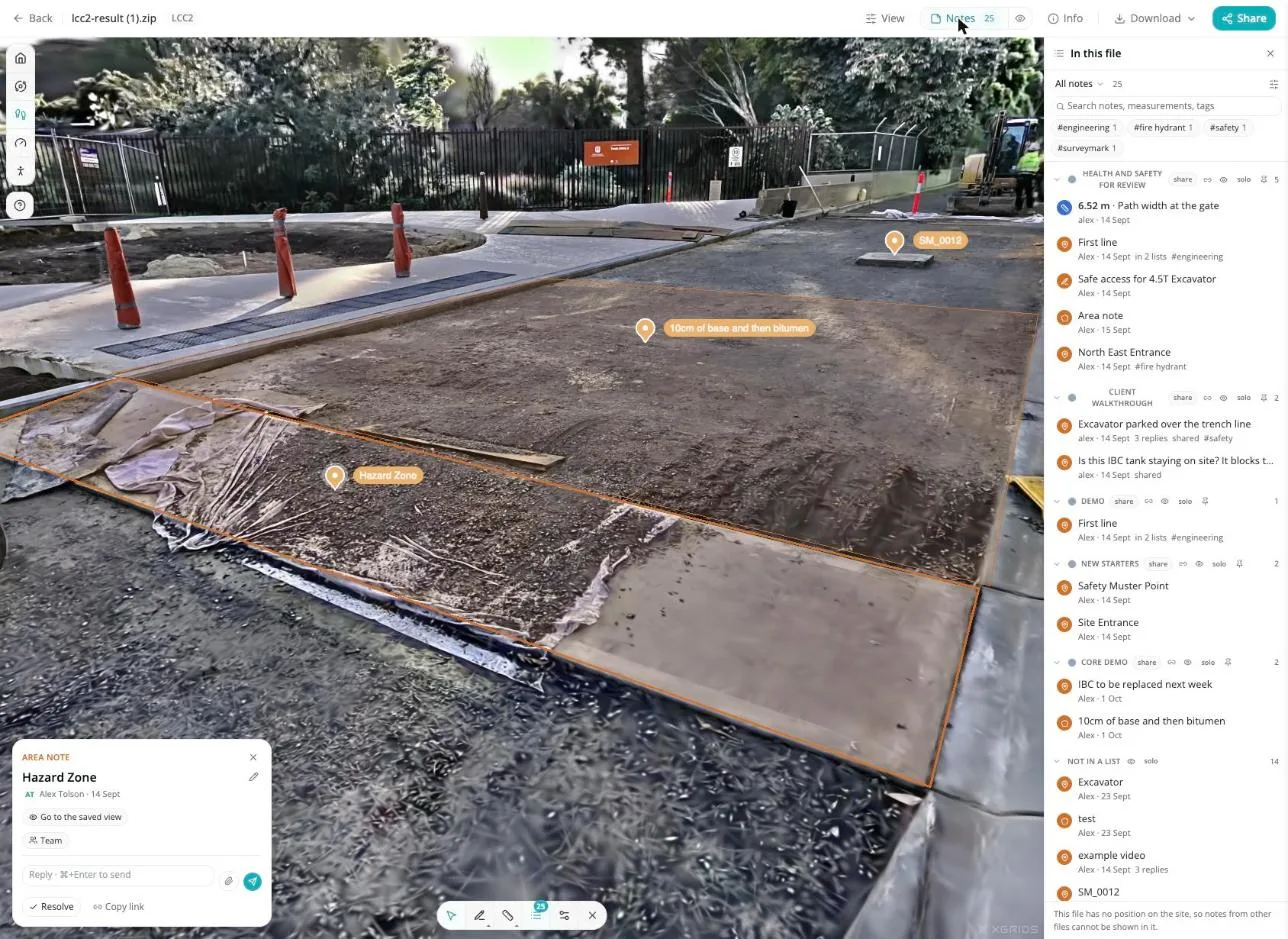
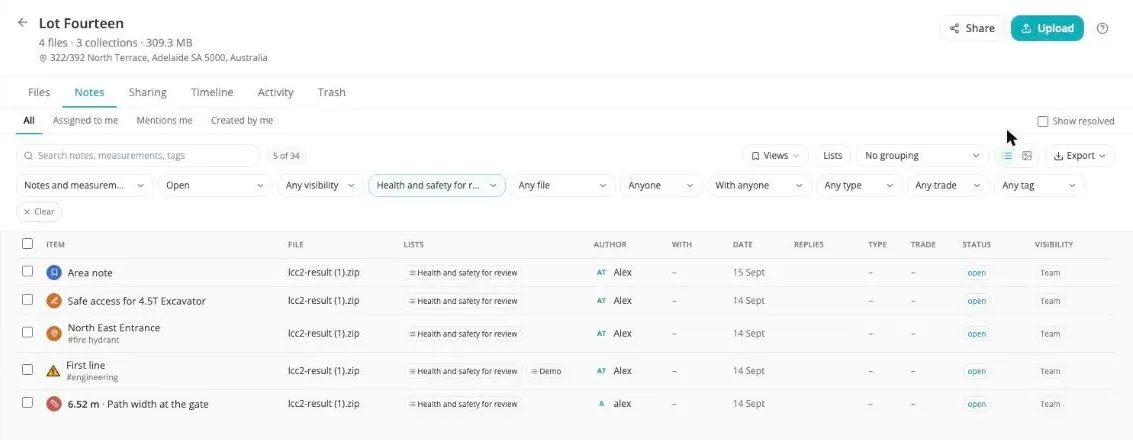
Every note on the site in one table, on the site's Notes tab. Click a row and the viewer opens on the spot.
Filters
Narrow the table by file, list, author, assignee, tag or date, and work through what is left.
Saved views
Keep a filter set as a named view: open items for the client, everything from the June capture, one person's list.
Tags and custom fields
Both optional. Switch them on in settings when you want a trade, a zone or a cost code against each note.
Assign it to someone
Put a name on each note so the table doubles as the list of who is doing what.
@mentions
Mention a teammate in a note or a reply and they are pointed straight at it.
Email notifications
Replies and mentions arrive by email, with a link that opens the note on the spot. Nobody has to go looking.
Take them with you
Export the Notes table whenever you need it somewhere else. CSV for the report, GeoJSON for GIS with every placed note in position, JSON for your own tooling, or a ZIP with the sketches and attachments included.
CSV
For the report
GeoJSON
Into GIS
JSON
For your tooling
ZIP
With attachments
You pay for your team. Your clients view and comment free.
In Swyvl, anyone you invite by email replies on the note, with nothing to buy and no account to set up. Seats are only for the people who create notes.
| Can they... | Team member | Client invited by email | Anyone with a public or password link |
|---|---|---|---|
| See notes, sketches and replies | |||
| Reply to a note | |||
| Create notes and lists | |||
| Assign, tag, export | |||
| What it costs | A seat on your plan | Free | Free |
Public and password-protected links are view-only. To let someone reply, invite them by email to the share link.
The Free plan includes every notes tool and 10 saved notes across your organization. Solo and Team are unlimited. See pricing.
Put the comment on the spot, not in an email.
Free to start, with 10 saved notes. No credit card required.
Frequently asked questions
What people ask before they pin their first note.